ChangeSmith
A downloadable tool for Windows
# ChangeSmith
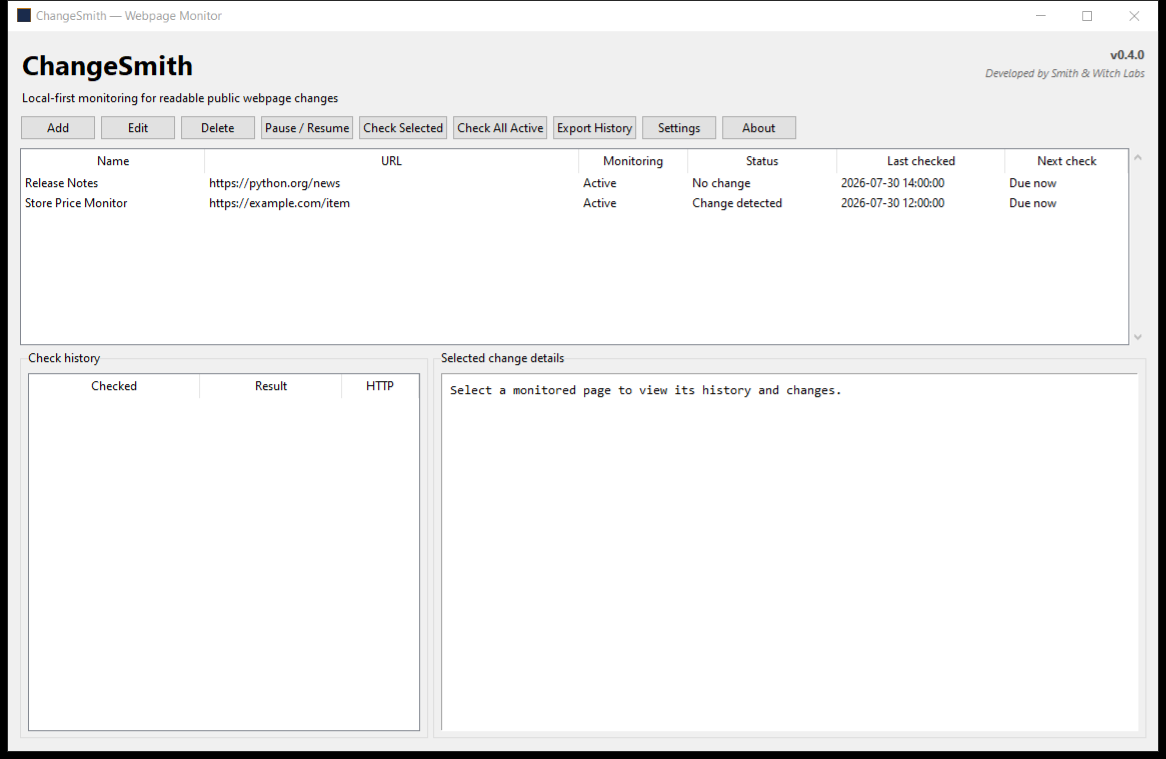
ChangeSmith is a lightweight, local-first Windows application that monitors public webpages and shows readable text changes.
## Features
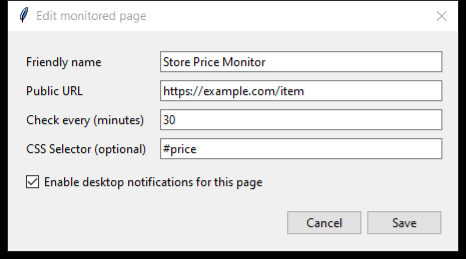
Monitor multiple webpages automatically, receive Windows notifications when something changes, focus monitoring on specific page elements using CSS selectors, and export your change history to CSV, JSON, or HTML.
## Privacy
ChangeSmith stores its data locally on your computer.
It does not include:
- User accounts
- Cloud storage
- Analytics
- Advertising
- Tracking
- Telemetry
Application data is stored at:
`%LOCALAPPDATA%\ChangeSmith\changesmith.db`
## Requirements
- Windows 10 or Windows 11
- Internet access for checking webpages
## Limitations
ChangeSmith is intended for publicly accessible HTTP and HTTPS webpages.
It does not bypass:
- Authentication
- CAPTCHAs
- Paywalls
- Bot protection
- Website access restrictions
## Getting Started
1. Download `ChangeSmith.exe`.
2. Double-click it to launch.
3. Add a webpage URL and friendly name.
4. Run the first check to create a baseline.
5. Run later checks to identify webpage changes.
## Source Code
ChangeSmith is open-source and available through the William Gamesmith GitHub account.
## Version
ChangeSmith v0.4.0 — Windows
## Release Highlights
ChangeSmith was developed with AI-assisted coding tools. It contains no AI-generated artwork, music, user-facing content, or runtime generative-AI features.
Download
Install instructions
Download ChangeSmith.exe and double-click it to launch.
No installation or Python setup is required.
Windows may display a SmartScreen warning because this early release is not digitally signed. Choose “More info,” then “Run anyway” only if you downloaded it from the official Gamesmith Labs itch.io or GitHub page.
ChangeSmith stores its local database at:
%LOCALAPPDATA%\ChangeSmith\changesmith.db
Leave a comment
Log in with itch.io to leave a comment.